
Coffee & hospitality · Original studio concept
A good first impression.
A slower kind of morning.
A café website should give you a feeling for the place—and make the menu and next step easy to find. Juniper brings those jobs together in one welcoming, working concept.
- Project
- Juniper Coffee
- Type
- Independent studio concept
- Role
- Direction, design, development & review
- Focus
- Brand direction & page design · Responsive frontend · Menu & order interactions · Local table-request preview
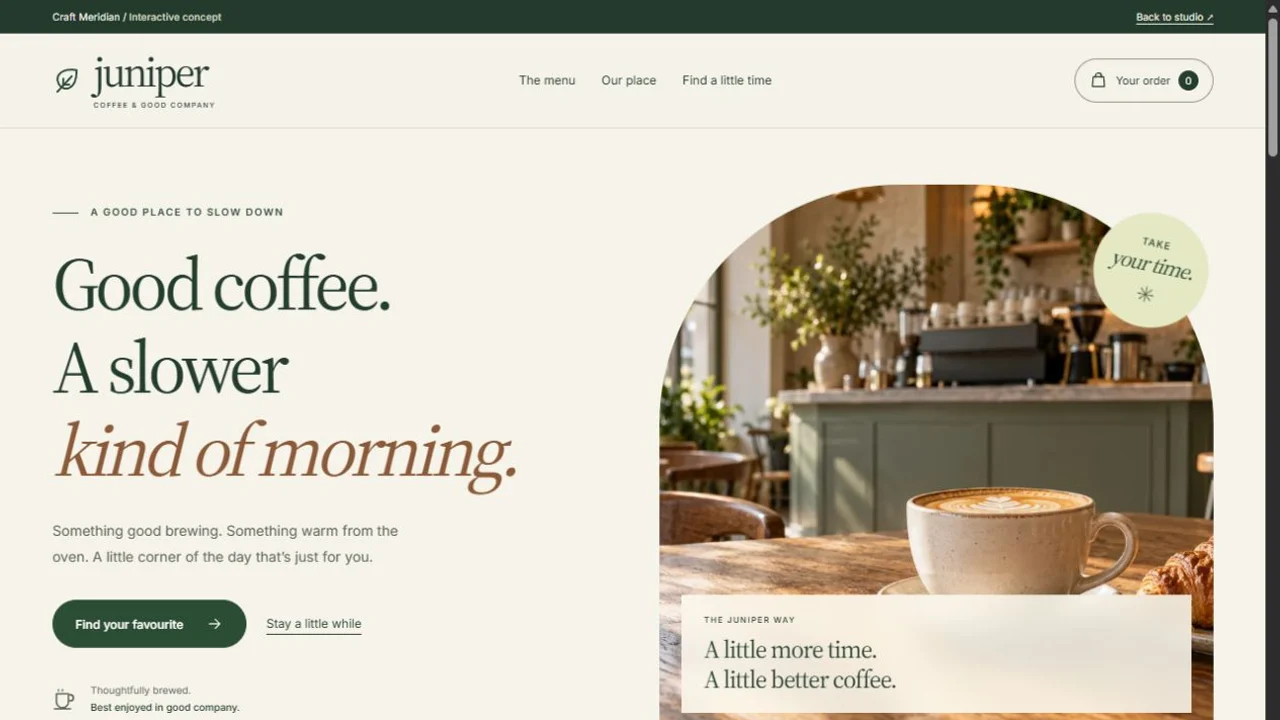
A neighbourhood café. A little more room to pause.
We set ourselves a simple brief: imagine an independent café whose website feels as considered as its front window. The visitor should be able to get a sense of the atmosphere, explore a short menu, and choose a useful next step without hunting through a long page.
- 06
- Original menu images
- 03
- Menu categories
- 02
- Ways to try the next step
Let the menu do a little of the talking.
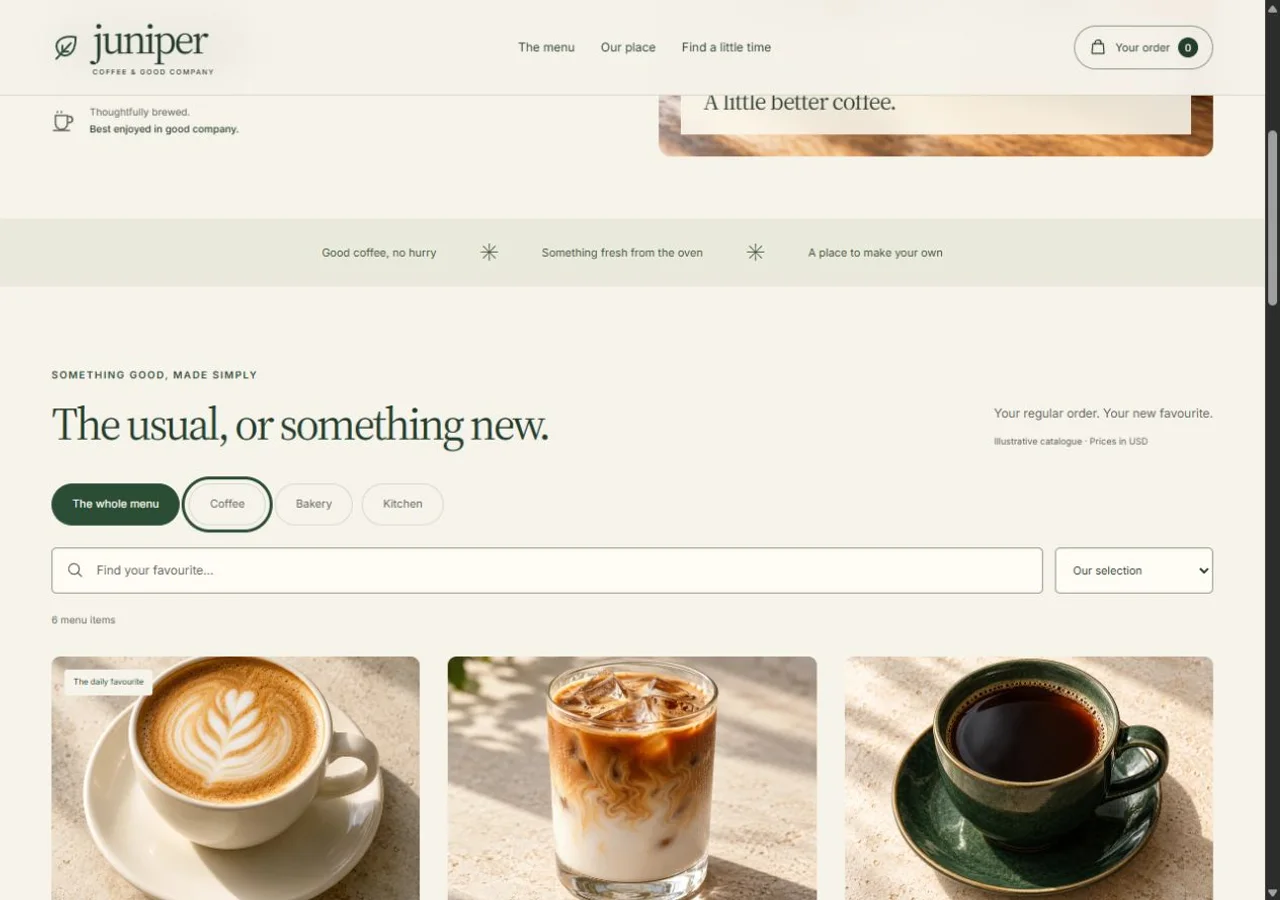
Each item has its own photograph, price and description. Category controls and search keep discovery straightforward. A closer look opens ingredients and serving details without losing the visitor’s place in the menu.
- Individual images for all six items
- Coffee, bakery and kitchen filters
- Product detail dialogs and an order drawer
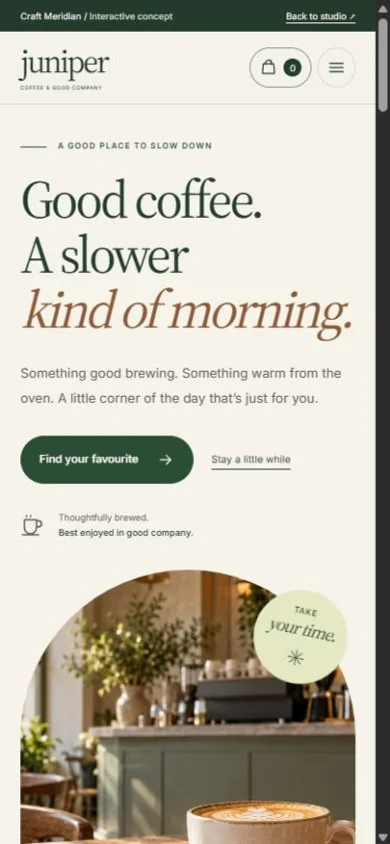
A small screen. The same considered experience.
The navigation, menu, order drawer and table form adapt to a phone. The mobile view keeps the next action clear, with comfortable controls and readable product details. The table flow previews a dated request without sending personal information.
A visual direction with a reason.
Warm paper, forest green, and a small toasted-brown accent give the interface a tactile quality. Serif headlines slow the pace; quiet spacing keeps the practical details in view. Original AI-created menu imagery makes the menu specific, while the arched café image gives the brand a sense of place.
- Warm paper#f6f3ea
- Forest green#2b4d36
- Toasted brown#8c5a38
From a first impression
to a useful next step.
Try the route yourself in the live concept.
- 01
Get a feel for the place
A calm first view introduces the café and gives the menu a clear route from the hero.
- 02
Find a favourite
Browse the photo menu, narrow a category, or open an item for a closer look.
- 03
Shape a coffee break
Add items, adjust quantities and review a sample collection total.
- 04
Try the next step
Complete a local order preview or create a table-request confirmation. Nothing is submitted to a real café.
A concept with working detail.
Open the working build- Six original AI-generated product photographs
- Searchable and filterable menu
- Product details with serving information
- Basket quantities and stock limits
- Collection and receipt preview
- Date-validated table-request preview
From concept to a live business
The next phase starts with your requirements.
A live café would provide approved menu and allergen information, real opening hours, fulfilment rules and booking or order handling. Those services, any payments, and an editing workflow would be scoped and connected for the actual business.
The point of this concept is the relationship between atmosphere and utility. The visual identity earns the visitor’s attention; the working menu and clear actions give that attention somewhere useful to go.
This is a frontend concept with local demonstration data. Real orders, payments and bookings are not processed.
Another point of view.
A starting point.
Shaped around your business.
Bring the parts you like and the problem you need to solve. Your enquiry can include Juniper Coffee as a reference; pricing is discussed after review.